
In smartphones, the availability of two SIM cards has become mandatory, so it is certain that you will need to switch internet use between the two SIM cards.
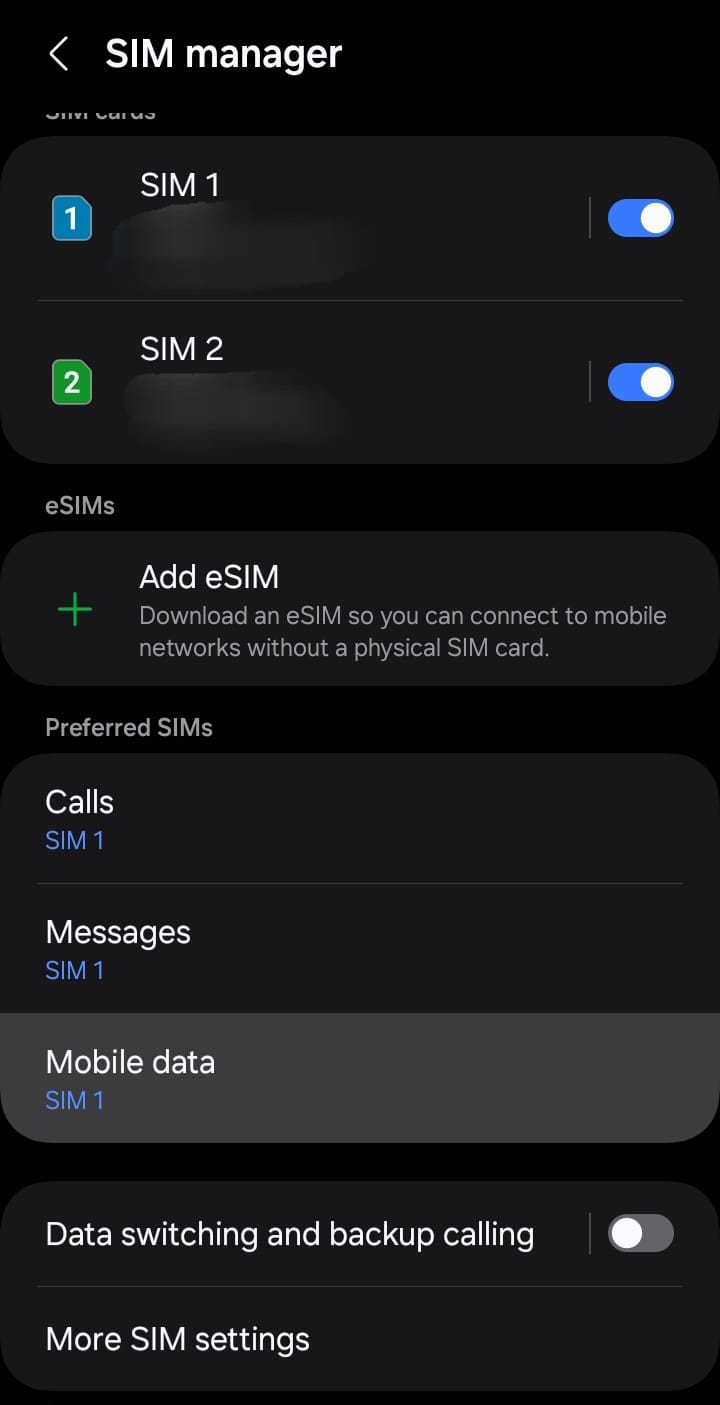
Our explanation will depend on the “SIM card management” option. through which you can determine which of your SIM cards you can access the Internet from.
Method: Switch internet usage between SIM1 and SIM2
Through the lines below, we will explain to you a method of managing the SIM card specifically on Android phones, and specifying the SIM to take the Internet from it. The explanation will be on a Samsung phone.
You can follow the same steps below to switch Internet usage between SIM1 and SIM2 on all Android phones.
1- First, we go to Settings, then click on Communications, and then click on SIM Management.
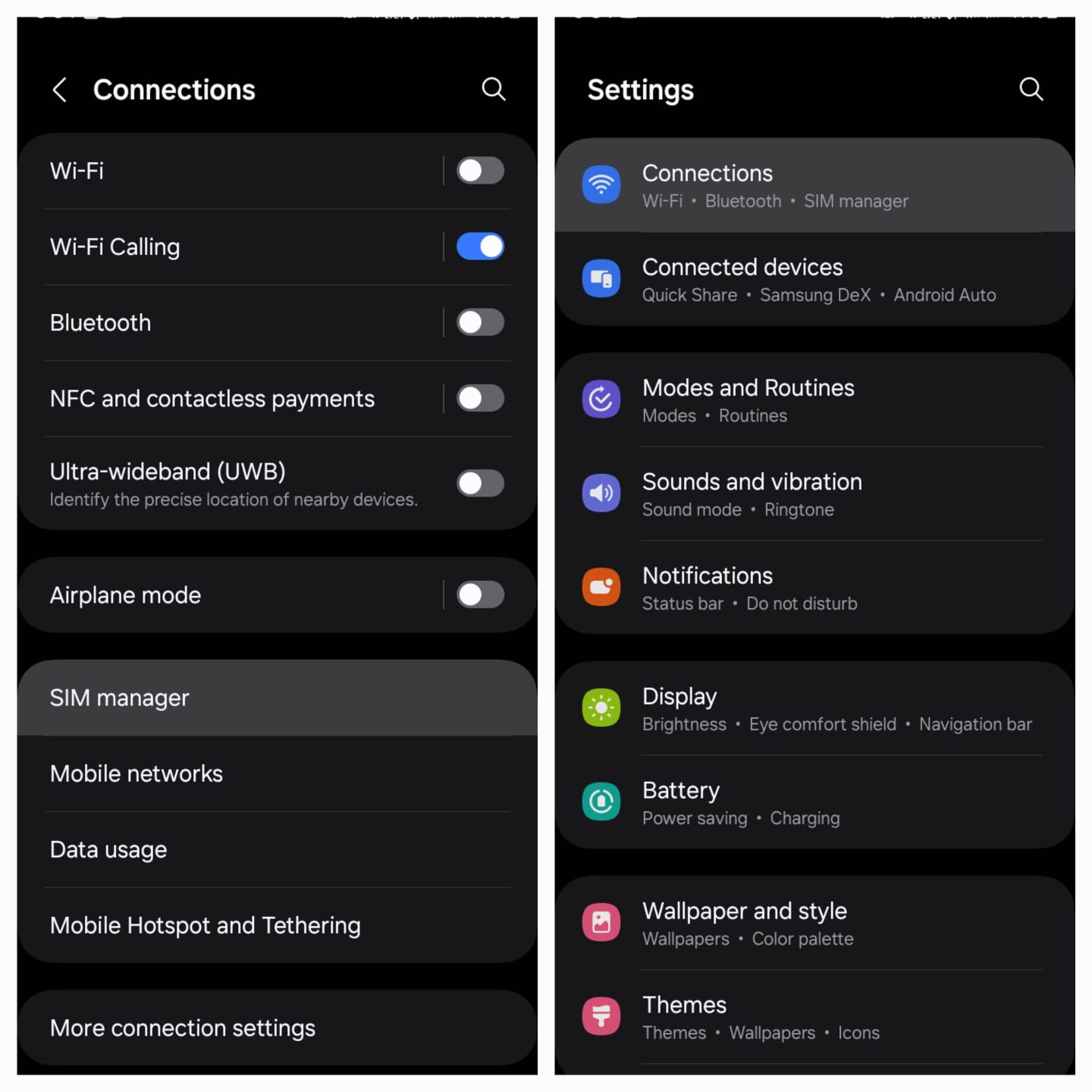
2- Now we search and click on the “Mobile Data” option .and select the SIM from which we want to receive the Internet.
يسعدنا أن تبقى قريبًا
تابع حسابات OS73، وشاركنا ما يهمّك في عالم التقنية.